Updating an Existing Permission
To update a Permission, select Permissions on the your left hand Navigation menu beneath Permissions Board

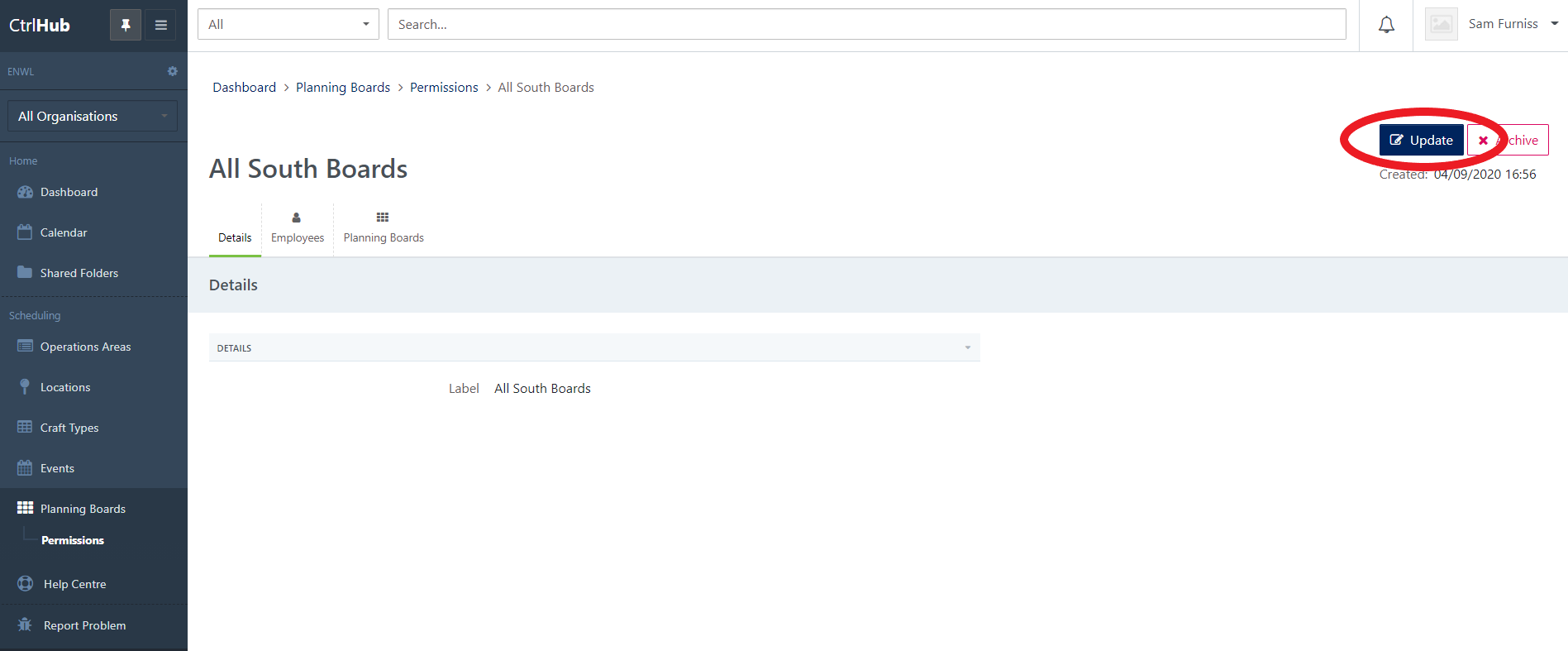
Select the Permission you wish to update from your Permissions List and select Update
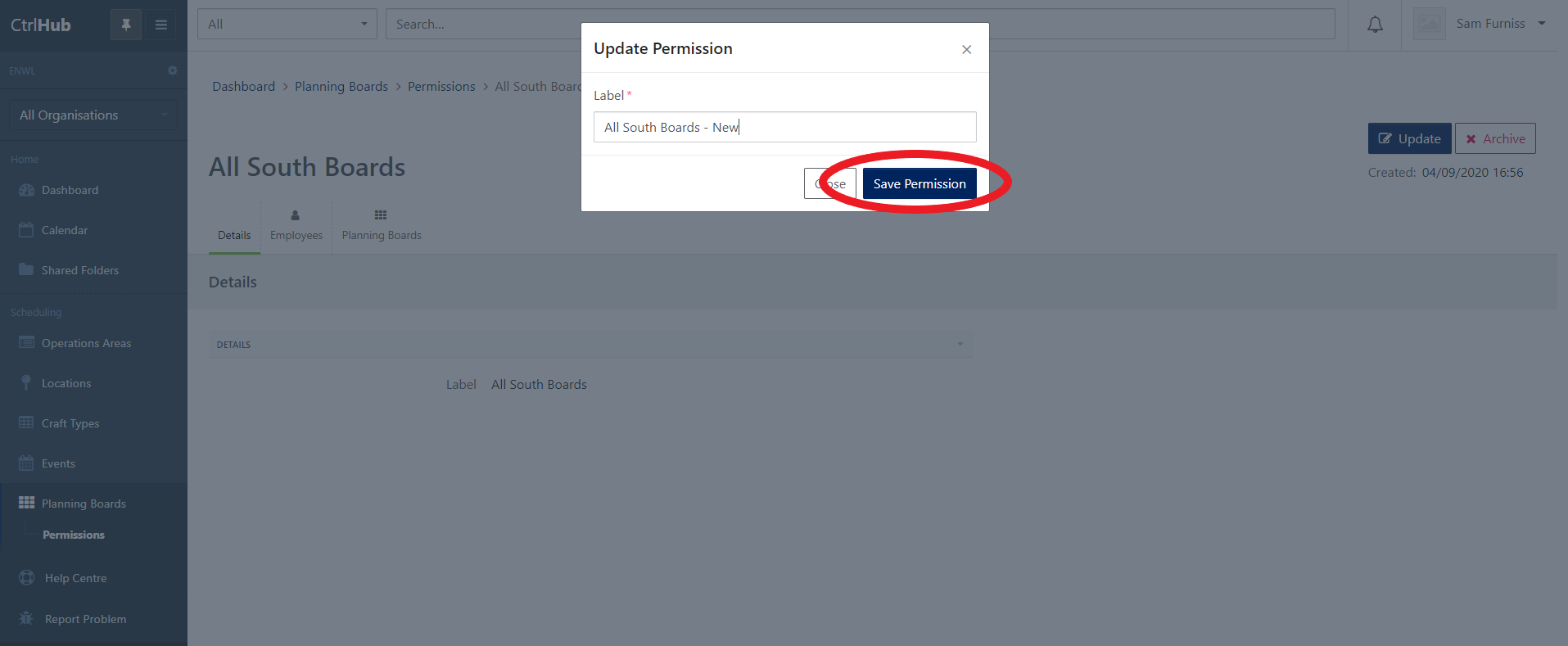
Once you have updated your Permission Label, select Save Permission.
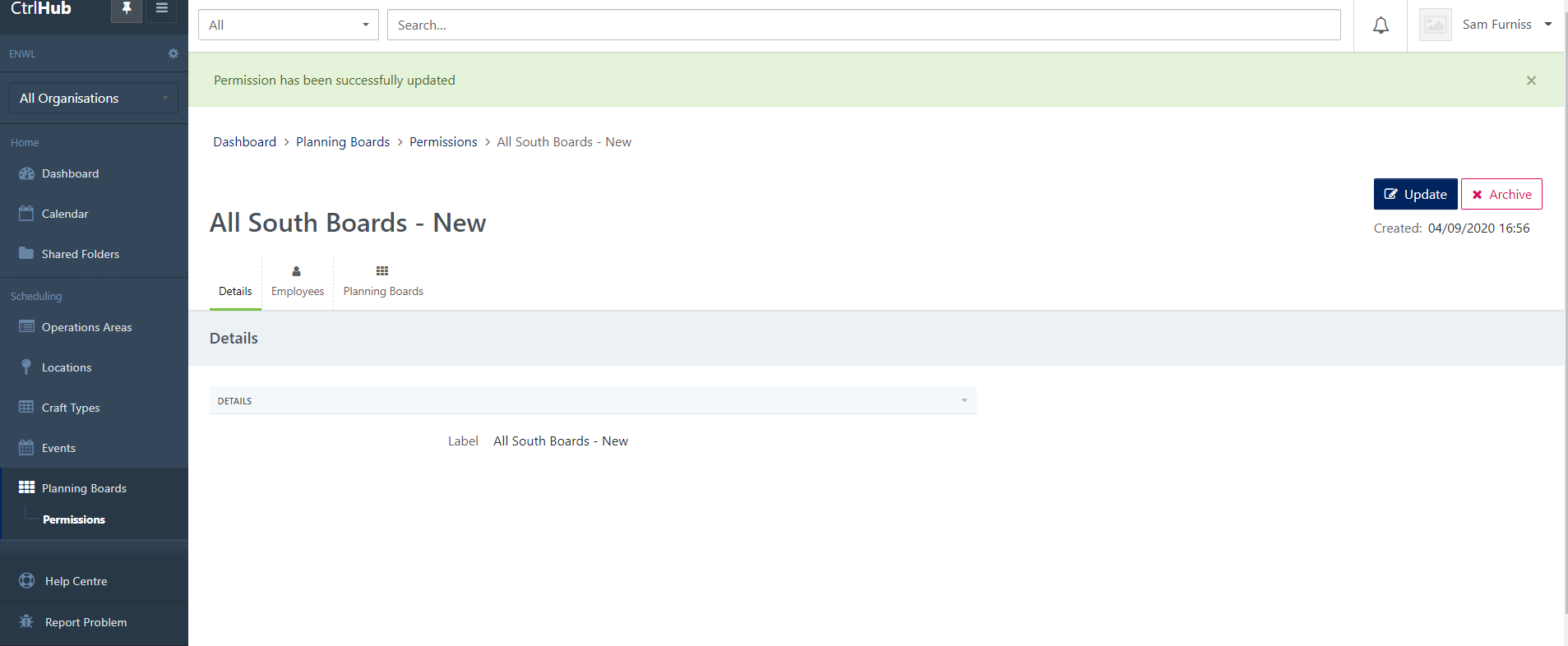
Once you have submitted the update, you will see a success message and be viewing the newly updated Permission.