Viewing Equipment
Okay, let’s take a look at the equipment area in more detail!
By default, when viewing equipment, you will be on the Details tab.
The Details tab contains basic information such as name, serial etc. as well as tags and associations.
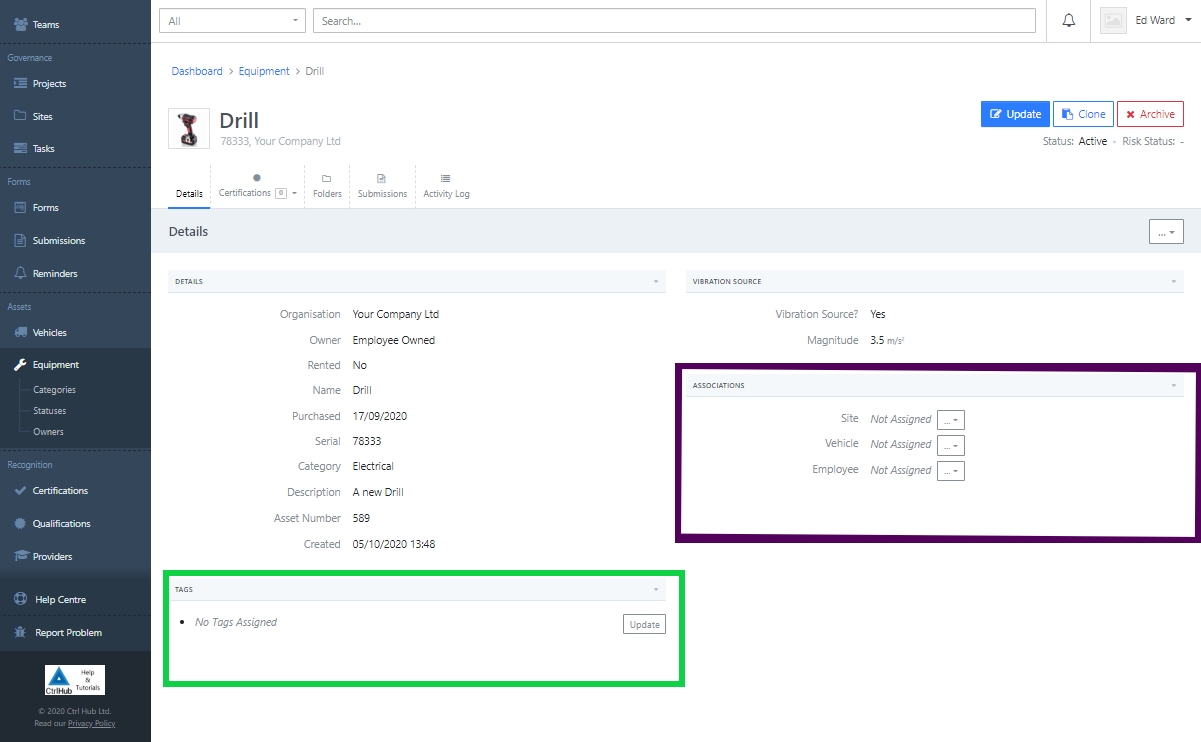
Associations
Note: you can only associate equipment with either a site, vehicle or an employee. Not multiple entity's at once. The following example associates a site but applies to all three.
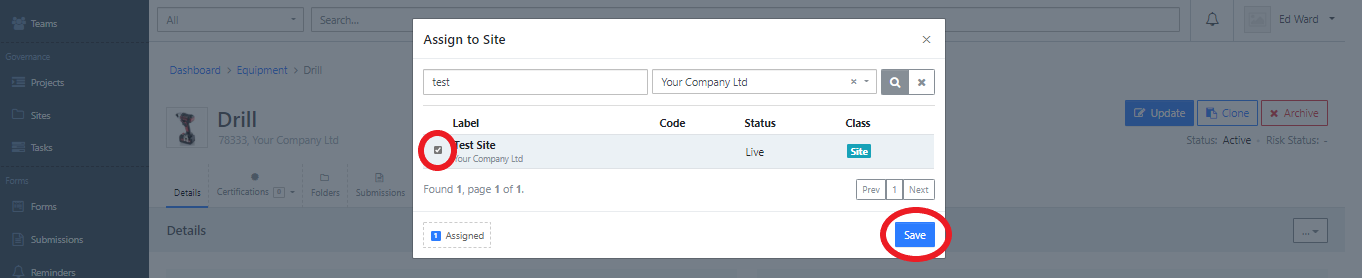
Assign the equipment directly to a site by clicking the “Assign to Site” option from the Site dropdown:

Select a Site and click the Save button to associate it with the equipment:
You’ll see a success message and the site label is now displayed:
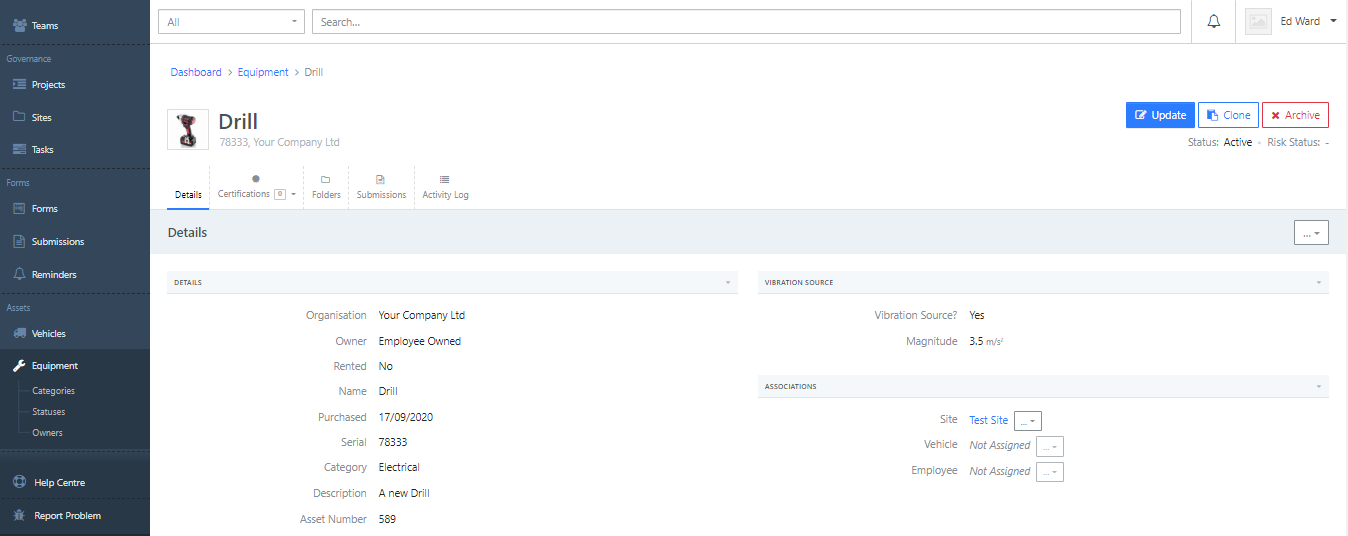
Reminder: this example applies to all three associations!