Assigning Resources to Events
Resources (People, Vehicles/Plant, Equipment) can be assigned to events via the Event Detail Page.
There are three different kinds of resource that can be assigned to an event:-
- Employees - either via teams or individually - NB - Employees must have base location/craft types and operations areas assigned, and be assigned an Occupation which is marked as "Schedulable";
- Vehicles - individually - NB - Vehicles in Ctrl Hub must be marked as "Schedulable";
- Equipment - individually - NB - Equipment in Ctrl Hub must be marked as "Schedulable";
First, navigate to an event detail page as shown below - the tabs can be used to switched between and manage resources assigned to events as shown beneath:

Assigning Employees to Events
Clicking the "Employees" tab will give a list of Employees currently assigned to the Event.

Employees can be added in one of two ways using the buttons highlighted above:-
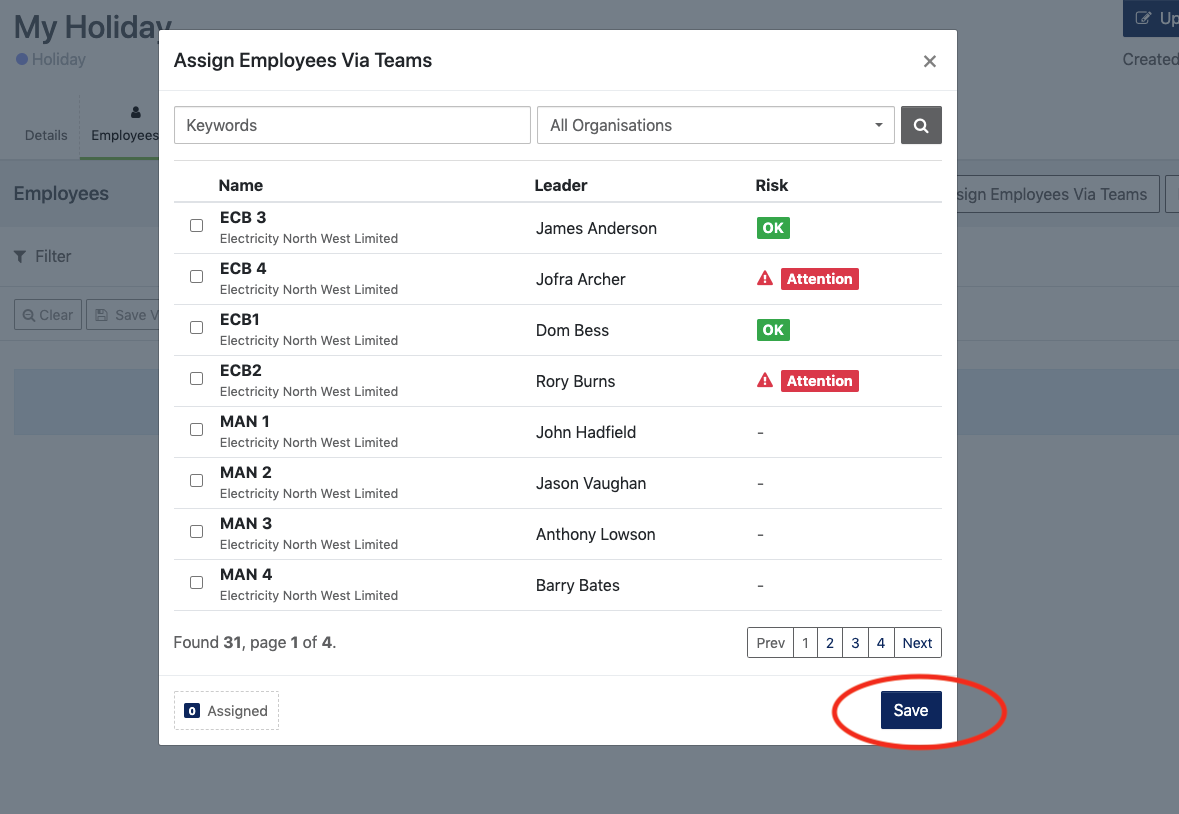
- Assign via Teams - this will copy any employees on the selected teams over to the event - it is implemented this way to allow team groupings to be changed dynamically from day to day without affecting who is assigned to teams.
Simply check the box beside each team and click the "Save" button highlighted to assign employees.
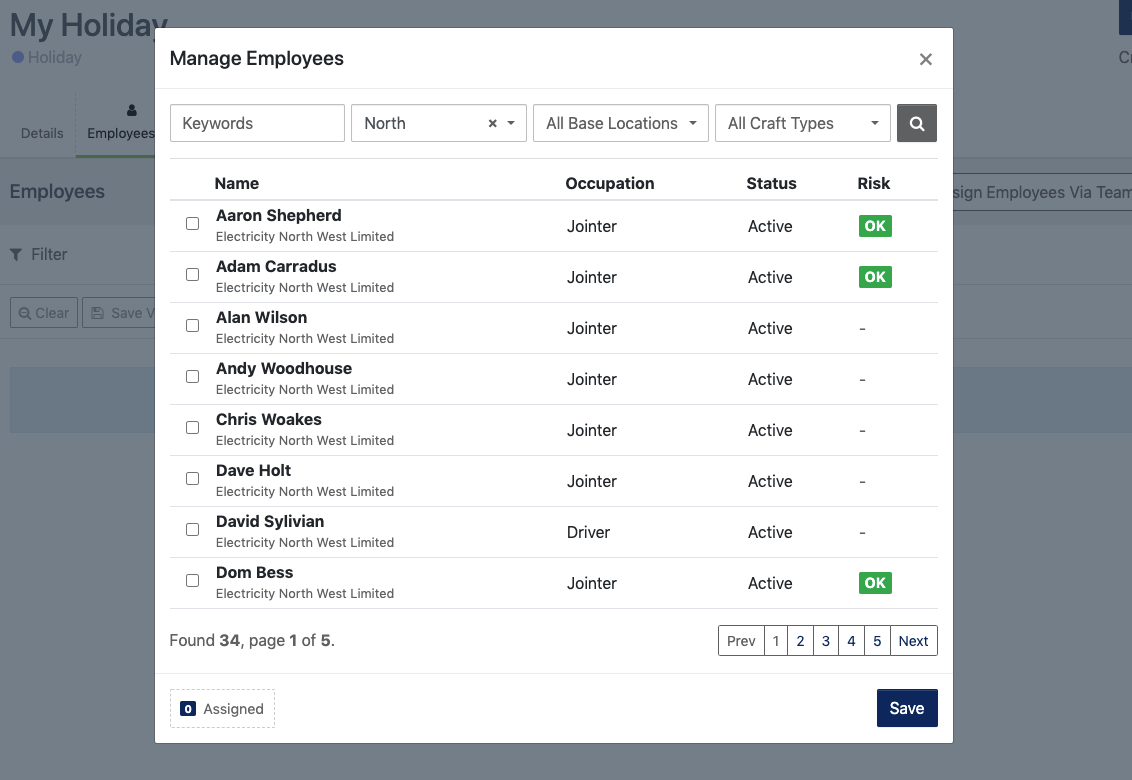
- Assign Individually - employees can be located and assigned individually. This method allows a richer palette of filter fields in order to locate employees. The following search filters are available:
Keywords - allows search on employee name;
Operations Area - allows search on Operations Area;
Base Location - allows search on employee base location;
Craft Types - allows search on employee craft types;
 Simply check the box beside each team and click the "Save" button highlighted to assign employees.
 Simply check the box beside each team and click the "Save" button highlighted to assign employees.
Assigning Vehicles/Equipment to Events
Vehicles/Equipment work in virtually the same way - in order to assign either Vehicles or Equipment to your event, click the relevant tab.
Clicking "Manage Vehicles" will allow vehicles to be located and assigned - both vehicles and equipment can be searched by:-
- Keywords
- Operations Area
- Base Depot Location
 Highlight the relevant Vehicle or Piece of equipment using the checkbox and click "Save" to assign it to your event.